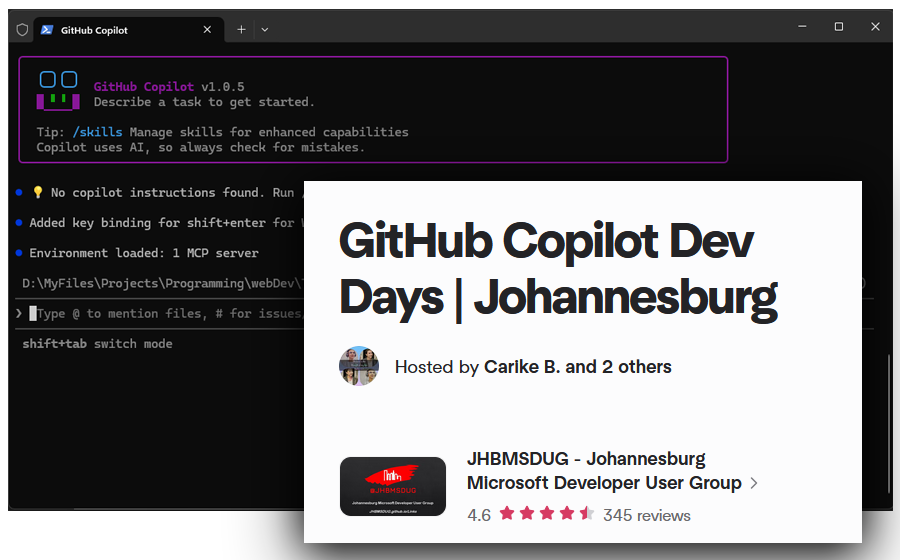
If you've been paying attention to the AI-assisted development space, you'll know that GitHub has been moving fast. Really fast. Their Copilot CLI tool — which brings the full power of GitHub's coding agent directly into your terminal — just dropped version 1.0.4, and it's packed with meaningful improvements. Additionally, GitHub has launched a global community event series called Copilot Dev Days, and developers worldwide are already signing up.
Let's break down what's new and why it matters.
What is GitHub Copilot?
For those unfamiliar, GitHub Copilot CLI is a terminal-native coding agent. Unlike the Copilot you might know from VS Code or JetBrains, this version lives entirely in your command line. It can plan tasks, edit files, run tests, execute shell commands, and iterate on code — all through natural language conversation in your terminal.
It went into public preview back in September 2025 and officially hit General Availability (GA) on 25 February 2026, available to all Copilot subscribers. Since then, GitHub has been releasing updates at a rapid pace, and v1.0.4 (released on March 11, 2026) is the latest.
What's New in v1.0.4
The latest release brings several notable additions and fixes:
New Features
- Shell Command Streaming: New
`session.shell.exec`andsession.shell.killRPC methods allow executing shell commands with streaming stdout/stderr output — useful for long-running processes and build pipelines. - Adaptive Color Engine: A dynamic colour system that automatically adjusts to your terminal's capabilities. It includes interactive theme picking and gracefully degrades on limited-colour terminals and Windows environments.
- ACP Plugin Support Fix:** Custom agents loaded from
--plugin-dirplugins now work correctly in ACP (Agent Communication Protocol) mode. - PR Workflow Update:** The
/pr opencommand has been replaced with/pr view [local|web], giving you the choice to view pull request status locally in the terminal or open it in your browser.
Bug Fixes
- MCP OAuth re-authentication now works reliably when callback ports change or when using Microsoft Entra ID.
Key Features Worth Knowing About
If you haven't explored Copilot CLI yet, here are some of the headline capabilities that make it stand out:
Agentic Modes
- Plan Mode(Shift+Tab): Copilot analyses your request, asks clarifying questions, and builds a structured implementation plan before writing any code. You review and approve, and then it executes.
- Autopilot Mode: For tasks you trust it to handle end-to-end. Copilot works autonomously — executing tools, running commands, and iterating without pausing for approval.
- Background Delegation: Prefix any prompt with
&to delegate work to the cloud agent, freeing your terminal for other tasks.
Model Flexibility
Choose from models by Anthropic, OpenAI, and Google. You can switch models mid-session with /model and even configure reasoning effort for extended thinking models. Models like GPT-5 mini and GPT-4.1 are included with your subscription at no additional premium request cost.
Extensibility
- MCP Servers: GitHub's MCP server is built in, and you can add custom MCP servers for connecting to any tool or service.
- Plugins: Install community and custom plugins directly from GitHub repos with
/plugin install owener/repo. - Agent Skills: Teach Copilot specialised workflows with markdown-based skill files that load automatically when relevant.
- Custom Agents: Create specialised agents through an interactive wizard or by writing
.agent.mdfiles. - Hooks: Extend behaviour at key lifecycle points -
preToolUsehooks can deny or modify tool calls, andpostToolUsehooks enable custom post-processing.
Installation
Getting started is straightforward:
bash
npm install -g @github/copilot
Alternatively, you can install via Homebrew, WinGet, or standalone executables. It's also pre-installed in GitHub Codespaces and available as a Dev Container Feature.
GitHub Copilot Dev Days - A Global Community Event Series
Beyond the product itself, GitHub has launched Copilot Dev Days, a global series of free, in-person, community-led events designed to help developers get hands-on with AI-assisted coding.
What Are Dev Days?
Running from 15 March to 15 May 2026, these events are hosted by local tech communities — including Microsoft MVPs, GitHub Stars, Student Ambassadors, and Azure Tech Groups. Each session typically runs around 3 hours and follows a practical, workshop-driven format:
- Introductory Session (30–45 min): Overview of GitHub Copilot and its capabilities.
- Community Session (30–45 min): A local developer shares real-world experience building with Copilot.
- Hands-on Workshop (60 min): Guided coding exercises using Copilot in VS Code, Visual Studio, or the CLI.
Who Is It For?
Everyone. Whether you're a student, a professional developer, or someone just curious about AI-assisted development, these events are designed for all experience levels. Different events may cover different topics, from beginner workflows to advanced enterprise integration and app modernisation.
Where Are They Happening?
Events are already live and filling up across cities worldwide, including Seattle, Silicon Valley, Sydney, Toronto, Tokyo, Kampala, Bengaluru, Kathmandu, Perth, Riga, and many more. You can browse all upcoming events and register on the official calendar:
GitHub Copilot Dev Days on Luma →
Don't see an event in your city? You can apply to host one through GitHub's sign-up form. All the training materials, event guides, and workshop content are available in the GitHub Copilot Dev Days repository.
Johannesburg, It's Your Turn — Dev Days Is Coming to Bryanston
Here's the part I'm most excited about. GitHub Copilot Dev Days is coming to Johannesburg.
The event is hosted by JHBMSDUG (Johannesburg Microsoft Developer User Group) and takes place on Saturday, 11 April 2026, from 9:00 AM to 12:00 PM SAST at the Microsoft Bryanston Office (3012 William Nicol Drive, Bryanston).
This is a free, hands-on, in-person event where you'll get to explore AI-assisted coding with GitHub Copilot alongside other local developers. Expect practical workshops, real-world demos, and the chance to connect with the Joburg dev community. The event is sponsored by Microsoft South Africa (providing the venue) and the dotNET Foundation.
Whether you're building in .NET, Python, TypeScript, or anything in between — whether you're a seasoned developer or just getting started — this event is designed for you.
Register for GitHub Copilot Dev Days Johannesburg on Meetup →
Spots are limited, so don't sleep on this one. If you're in Gauteng or can make the trip, I'd strongly recommend signing up. These kinds of community-driven, hands-on learning opportunities don't come around every day, especially right here in SA.
Events are also happening across the rest of Africa and the world. Kampala already has one at Makerere University, and cities like Seattle, Sydney, Tokyo, and Toronto are all represented. Browse the full list on the Luma calendar or apply to host your own if you're in a city that doesn't have one yet.
GitHub Copilot CLI is included in all Copilot plans (Free, Pro, Pro+, Business, and Enterprise), so the barrier to entry is low. Each interaction draws from your plan's premium request allowance, with certain models like GPT-5 mini available at no additional cost.
Final Thoughts
GitHub Copilot CLI v1.0.4 represents another solid step forward in making AI-assisted development feel native to the terminal workflow. The adaptive colour engine, streaming shell commands, and plugin fixes show that the team is listening to real developer pain points.
And with Copilot Dev Days bringing hands-on learning to communities worldwide — including right here in Johannesburg — there's never been a better time to explore what AI-powered development can do for your workflow.
Whether you're a terminal power user or still warming up to AI tools, Copilot CLI is worth a serious look. See you in Bryanston on the 11th.
Useful Links
- GitHub Copilot CLI — Official Repository
- Copilot CLI GA Announcement
- v1.0.4 Release Notes
- Register: Copilot Dev Days Johannesburg (11 April 2026)
- Copilot Dev Days — Luma Calendar (All Cities)
- Host a Dev Days Event
- Dev Days Workshop Materials




Leave a Comment
Your email address will not be published. Comments are reviewed before appearing.